

Best Ambient Lighting for Home Office
Table of Contents
- Why Ambient Lighting Matters for Your Home Office
- Warm vs Cool Light for Office Spaces
- How to Reduce Glare on Computer Screens
- Smart LED Light Strips for Desk Setups
- Choosing the Right Colour Temperature
- Setting Up Ambient Lighting Without Natural Light
- Creating Your Ideal Home Office Lighting
Last Updated: August 26, 2026
Why Ambient Lighting Matters for Your Home Office
Proper ambient lighting is fundamental to creating a productive and comfortable home office environment. Poor lighting forces your eyes to work harder, triggers headaches, and can contribute to poor posture as you lean closer to your screen to compensate. Your home office demands the same lighting consideration as any professional workspace.
Ambient lighting, the general, overall illumination of your space, works alongside task lighting to create a balanced visual environment. Without adequate ambient light, you rely entirely on task lighting, which creates harsh contrasts and leaves the rest of your room in shadow. This imbalance strains your eyes as they constantly adjust between bright and dark areas. A well-designed ambient lighting setup fills your entire workspace with gentle, even illumination that reduces eye fatigue and creates a more inviting environment.
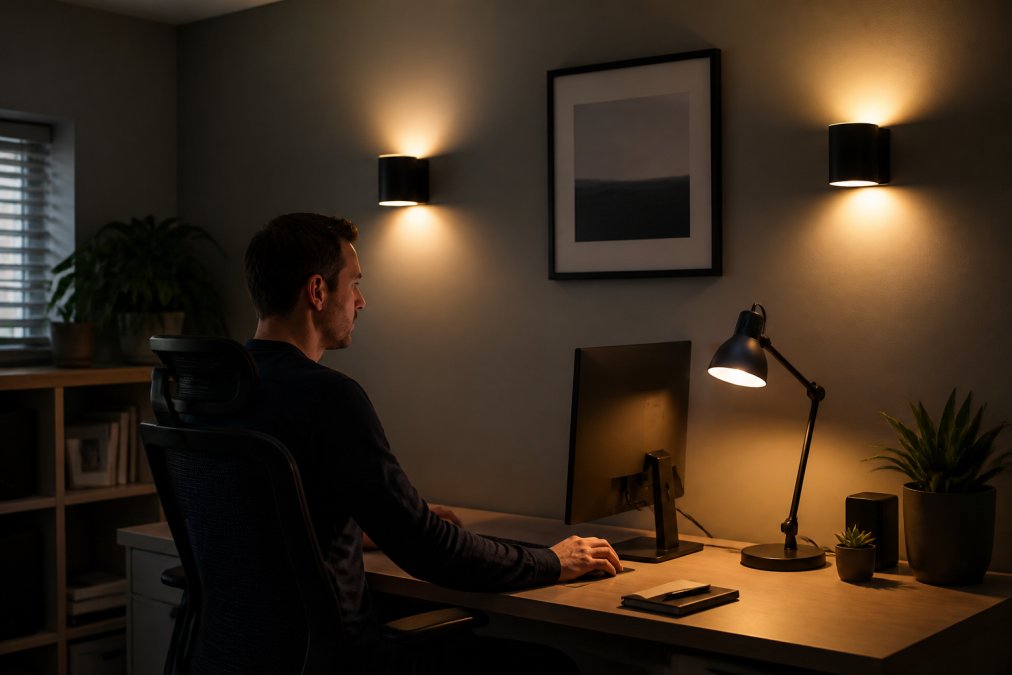
The challenge most remote workers face is that homes weren't designed with office work in mind. A single overhead light rarely suffices. Windows provide natural light, but that changes throughout the day and disappears entirely by evening. You need a layered approach, combining multiple light sources positioned strategically around your workspace. At Inspree, we understand that the right ambient lighting can transform not just how your workspace looks, but how you feel working in it.
Warm vs Cool Light for Office Spaces
The distinction between warm and cool light defines your entire lighting experience. Warm light (2700K-3000K colour temperature) feels inviting and relaxing. Cool light (4000K-6500K) feels energising and promotes alertness. The right choice depends on your work type and when you work.
During daylight hours, cool light supports focus and mental clarity for detailed analytical work, writing, or coding. The solution is pairing cool ambient light with adequate brightness, typically 300-500 lux for general office work, so the coolness feels professional rather than sterile.
As evening approaches, cool light suppresses melatonin production and can disrupt your sleep. Warm light is gentler on your circadian rhythm. Many experienced home office workers use a combination: cool ambient light during the day, then switch to warm light by evening. Smart LED systems make this transition seamless.
If you work standard 9-to-5 hours with good natural light, cool ambient lighting keeps you alert. If you work early mornings, late evenings, or have no natural light access, warm ambient lighting is kinder to your body. Many professionals find neutral white light around 4000K provides alertness without harshness.
How to Reduce Glare on Computer Screens
Glare on your monitor is one of the fastest routes to eye fatigue and headaches, yet it's entirely preventable with thoughtful ambient lighting placement. Glare occurs when light reflects directly off your screen, either from overhead fixtures, windows, or poorly positioned desk lamps.
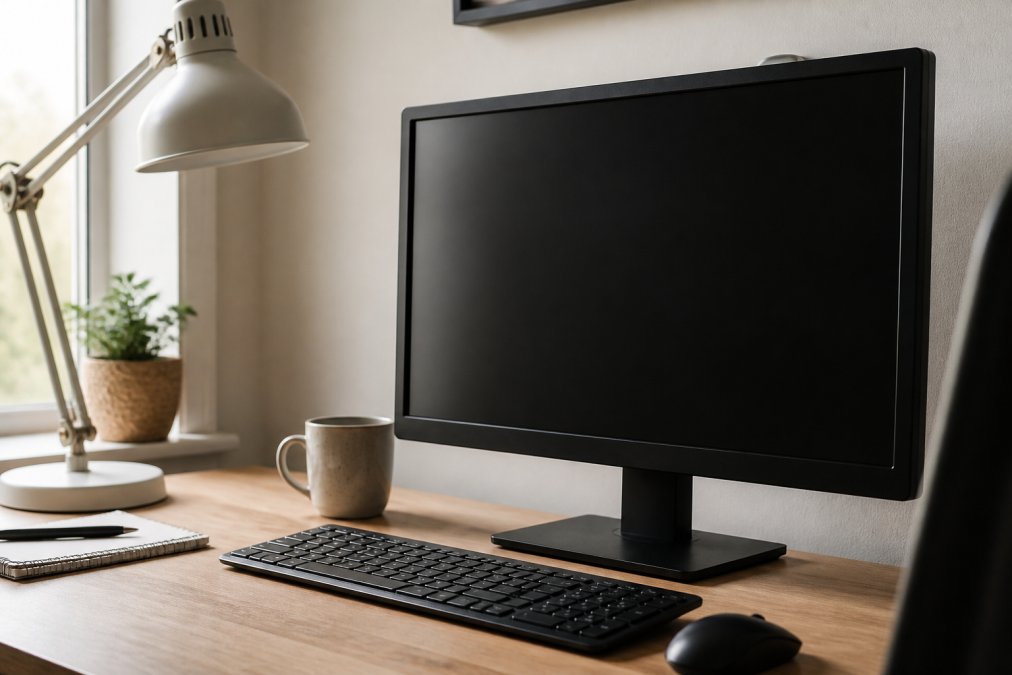
Never place your ambient light source directly in front of or behind your monitor. Light positioned above and slightly behind your monitor provides general illumination without creating reflections on the screen. If you have windows, position your desk perpendicular to the window rather than facing it directly.
Indirect lighting is your strongest tool against glare. Use wall sconces, uplighters, or lamps that bounce light off walls and ceilings rather than ceiling-mounted fixtures pointing straight down. Task lighting positioned to the side of your monitor illuminates your desk without affecting screen visibility.
The brightness of your ambient light matters equally. Your monitor should be roughly as bright as your surrounding environment, not a bright island in a dark room. Adjustable lighting systems work well for home offices because you can dial in the exact brightness that balances screen visibility with overall comfort.
Smart LED Light Strips for Desk Setups
LED light strips have become the go-to solution for home office ambient lighting because they're affordable, flexible, and controllable. Unlike traditional ceiling fixtures that require installation, light strips mount easily behind monitors, under shelves, or along walls to create layered ambient lighting.
LED strips solve several problems simultaneously: they provide indirect illumination that reduces glare, they're dimmable so you can adjust brightness throughout the day, and many offer colour temperature adjustment. For under £50, you can add professional-quality ambient lighting to a workspace that previously relied on a single overhead fixture.
Behind your monitor, a strip creates a subtle backlight that reduces the contrast between your screen and the surrounding environment, the single most effective anti-glare technique. Above shelving or along the back wall, strips provide general ambient illumination. The flexibility is what makes strips so valuable; you're not locked into a single fixture position.
Smart LED strips add convenience through app or voice control, allowing you to set schedules, adjust colour temperature based on time of day, and even sync with your monitor brightness. The trade-off is setup complexity. Basic strips are plug-and-play, but smart systems require WiFi connectivity and app setup. The lighting quality is identical; you're just giving up automation with non-smart options.
Choosing the Right Colour Temperature
Colour temperature, measured in Kelvin (K), defines how "warm" or "cool" your light appears and has outsized impact on how your workspace feels and how your body responds to extended work.
2700K light (warm white) resembles incandescent bulbs and feels cosy. It's ideal for evening work and reducing eye strain when fatigued, but too warm for sustained analytical work during the day.
3000K (soft white) is the middle ground, warm enough to feel inviting, cool enough to support focus. This is a safe default for home offices where you work varied hours.
4000K (neutral white) is the professional standard. It provides excellent colour rendering, supports focus without feeling harsh, and works well throughout the day.
5000K-6500K (cool/daylight white) mimics natural daylight and promotes alertness. This is ideal during peak work hours but can interfere with sleep if used in the evening.
Match colour temperature to your work schedule. If you work standard daytime hours, 4000K provides the best balance. If you work evenings, use 3000K or 2700K to protect your sleep. If you work variable hours, invest in adjustable colour temperature lighting and shift throughout the day.
Setting Up Ambient Lighting Without Natural Light
Home offices without windows face a genuine challenge: creating a lighting environment that feels natural and doesn't cause fatigue over eight hours. Without natural light reference points, your ambient lighting must work harder to create visual interest and prevent monotony.
Start with brightness. Aim for 300-500 lux of ambient illumination, roughly equivalent to a well-lit office ([EXTERNAL_LINK: guidance on workplace lighting from the Health and Safety Executive | hse.gov.uk]). Too dim and you're fighting eye strain; too bright and you're creating glare and harshness.
Layering is essential without natural light. Use multiple light sources at different heights and positions rather than relying on a single overhead fixture. A combination of wall sconces, desk lamps, and light strips creates depth and visual interest, preventing the flat, monotonous feeling of single-source lighting.
Colour temperature becomes more critical without natural light. During work hours, lean towards 4000K (neutral) or slightly cooler to counteract the "cave-like" feeling and support alertness. In the evening, shift to 3000K or warmer to signal to your body that work is ending.
Consider adding a full-spectrum or daylight-simulation bulb to one fixture. These bulbs approximate natural sunlight and can help regulate mood and energy levels in spaces without windows.
Creating Your Ideal Home Office Lighting
Building the best ambient lighting for home office work is a process of assessment, experimentation, and adjustment. Start by evaluating your current setup. Does your workspace feel bright enough? Do you experience eye strain by mid-afternoon? Are you relying entirely on one light source?
Next, identify your constraints. Do you have windows? Can you install wall sconces, or are you limited to portable fixtures? What's your budget? What hours do you actually work?
A solid starting point for most home offices includes:
- One adjustable desk lamp positioned to the side of your monitor
- LED light strips behind your monitor or along a wall for indirect ambient illumination
- A second light source positioned opposite your primary light to reduce shadows
- Dimmable bulbs so you can adjust brightness throughout the day
- Ideally, colour-adjustable lighting so you can shift from cool to warm as needed
This setup can vary in cost depending on whether you choose basic or smart-enabled fixtures. Once installed, spend a week adjusting. Move fixtures slightly and experiment with brightness levels at different times of day. Your ideal lighting might differ from someone else's; what matters is that you've created an environment where you can work comfortably for eight hours without headaches or eye strain.
At Inspree, we understand that home office comfort is the foundation of productive, sustainable remote work. The right ambient lighting transforms your workspace into a place where you actually want to spend your working day.
| Lighting Element | Colour Temperature | Best Positioning | Primary Benefit |
|---|---|---|---|
| Ambient wall sconces | 3000K-4000K | Opposite monitor | Reduces shadows, prevents glare |
| Desk task lamp | 4000K | Side of monitor | Illuminates work surface without glare |
| LED light strips | 3000K-4000K | Behind monitor or along wall | Indirect illumination, reduces eye strain |
| Overhead fixture | 4000K | Above and slightly behind | General room illumination |
| Floor lamp | 3000K-4000K | Corner or opposite workspace | Secondary ambient light source |
The right ambient lighting for your home office isn't about brightness alone, it's about creating a balanced, comfortable environment where you can sustain focus throughout your working day. Eye strain, headaches, and afternoon fatigue often trace back to poor lighting rather than the work itself. By layering multiple light sources, choosing appropriate colour temperatures, and positioning fixtures to eliminate glare, you transform your workspace into somewhere you genuinely want to spend eight hours.
According to guidance from the Health and Safety Executive on workplace lighting, adequate illumination is fundamental to reducing fatigue and supporting productivity. Research suggests that proper ambient lighting significantly reduces eye fatigue during extended screen work. If you're experiencing afternoon fatigue or persistent headaches while working from home, your lighting setup is likely the culprit, and it's entirely fixable.
Inspree curates home office solutions designed specifically for remote workers who want comfort without compromise. Whether you're building a workspace from scratch or upgrading an existing setup, the right ambient lighting is a highly impactful investment you can make. Start with assessment, add layered light sources, and adjust based on how you actually feel working in the space. Your eyes, and your productivity, will thank you.
Frequently Asked Questions
What is the best colour temperature for a home office?
Colour temperature between 4000K and 5000K (neutral white) works well for most home office tasks. This range promotes alertness without causing eye strain. For creative work, 5000K-6500K (cool white) can enhance focus. In late afternoon, switch to warmer light around 3000K to reduce blue light exposure before evening. Your best ambient lighting setup may combine both warm and cool sources depending on the time of day and task.
How can I reduce eye strain with ambient lighting in my home office?
Position lights indirectly to avoid harsh reflections on your screen. Use diffusers or place lights behind or to the side of your monitor. Maintain even illumination across your workspace rather than bright spots and shadows. Aim for 300-500 lux of light on your desk surface. Take regular breaks using the 20-20-20 rule: every 20 minutes, look at something approximately 6 metres away for 20 seconds. Layered lighting with both ambient and task lights helps reduce contrast between your screen and surroundings.
Should I use smart LED light strips for my desk setup?
Smart LED light strips offer flexibility for home office environments. They allow you to adjust colour temperature and brightness throughout the day, supporting circadian rhythms and reducing eye fatigue. Position them behind your monitor or along desk edges for indirect illumination. Many models integrate with voice assistants for hands-free control. They're particularly useful if your workspace lacks natural light or if you work varying hours. However, ensure they provide sufficient coverage, strips alone may not deliver adequate ambient lighting without supplementary fixtures.
What should I avoid when setting up ambient lighting in my home office?
Avoid placing bright lights directly above or in front of your monitor, as this creates glare and screen reflections. Don't rely on a single overhead light, layered lighting is essential. Steer clear of flickering bulbs or lights with poor colour rendering, which cause eye strain. Avoid positioning lights where they create harsh shadows across your workspace. Don't use only cool white light (6500K+) throughout the day, as this can cause fatigue during evening work. Finally, don't neglect the importance of indirect lighting, harsh, direct illumination is a common mistake in home offices.
This article was written using GrandRanker