

Affordable Ergonomic Solutions for Home Office
Table of Contents
- Ergonomic Solutions That Fit Your Budget
- Quick Comparison Table
- NeckRelief Pro: Targeted Neck Support After Screen Time
- SpineFlow: Daily Back Pain Relief for Long Sitting
- Ergonomic Desk Accessories for Productivity
- Best Ergonomic Office Chairs Under £200
- DSE Assessment Checklist for Home Workers
- Which Solution Should You Choose?
- Frequently Asked Questions
Last Updated: September 22, 2026
Ergonomic Solutions That Fit Your Budget
Working from home has transformed how millions of us spend our days, but it's also created a new problem: discomfort. Without proper support, your neck curves forward, your lower back rounds, and by day's end you're in pain. The good news is that affordable ergonomic solutions for home office don't require a complete desk overhaul or thousands of pounds in equipment.
At Inspree, we understand that comfort shouldn't come at a premium price. Many remote workers assume they need to choose between budget and wellbeing, but the reality is simpler. Strategic, targeted investments in the right ergonomic solutions home office can transform how you feel during and after work. The key is knowing where to focus your spending.
This guide covers the most effective affordable ergonomic solutions for home office that actually work.
Quick Comparison Table
| Product | Price | Best For | Key Benefit |
|---|---|---|---|
| NeckRelief Pro™ | £39.99 | Screen time recovery | Targeted neck support after hours at desk |
| SpineFlow™ | £34.99 | Long sitting sessions | Lower back pain relief during work |
| HandRelief Pro™ | £54.99 | Hand and wrist strain | Regain hand mobility and reduce tension |
| Lumo Relief™ Heated Migraine Mask | £18.00 | Eye strain and tension | Quick 15-minute relief from headaches |
NeckRelief Pro: Targeted Neck Support After Screen Time
The most common complaint from home workers is neck pain. Your screen sits slightly below eye level, your chin drifts forward, and within hours the tension builds. The NeckRelief Pro™ addresses this directly with targeted cervical support designed to restore your neck after extended screen time.

At £39.99, it's an affordable entry point into proper neck ergonomics. What makes this different from a standard pillow is the design: it's engineered specifically for the cervical spine's natural curve. The product works best when used consistently.
What works: The targeted support means you're not just resting your neck, you're actively supporting its proper alignment. This is the kind of investment that pays dividends if you spend 6+ hours daily at a desk.
Where it falls short: It's a recovery tool, not a prevention tool. Using it won't fix poor posture during work, you still need to adjust your monitor height and chair position. Think of it as part of a broader ergonomic strategy, not a standalone solution.
SpineFlow: Daily Back Pain Relief for Long Sitting
Lower back pain is the silent killer of home office productivity. You sit for hours, your lumbar spine compresses, and by afternoon you're shifting in your chair every few minutes. The SpineFlow™ targets this specific problem with support engineered for the lower back during extended sitting.
At £34.99, it's one of the most affordable ergonomic solutions home office workers can invest in. The product is designed to maintain the natural curve of your lower spine while seated, reducing the compression that causes pain. SpineFlow™ is shaped for active support during work.
The key is placement: it should sit at the small of your back, supporting the lumbar curve without pushing you forward.
What works: The support is consistent throughout your workday. You're not adjusting or readjusting, it stays in place and does its job. For the price, the value is exceptional.
The trade-off: It works best on chairs with a relatively flat back. If your chair has a pronounced curve or high back, the SpineFlow™ may not fit as effectively.
Ergonomic Desk Accessories for Productivity
Beyond neck and back support, your hands and wrists take a beating during long typing sessions. This is where desk accessories become essential. The HandRelief Pro™ at £54.99 is designed to regain hand mobility and reduce the tension that builds from repetitive keyboard and mouse work.
A keyboard rest or wrist support pad might seem like a small addition, but it's one of the most underrated ergonomic investments. Your wrists should remain neutral while typing, not bent upward or downward. Most home office setups fail this basic test, which is why wrist pain is so common.
The Lumo Relief™ Heated Migraine Mask at £18.00 addresses a different but equally important problem: eye strain and tension headaches. Many remote workers don't realise how much their eye strain contributes to overall fatigue and headaches. Just 15 minutes of targeted heat relief can reset your eyes and reduce the tension that radiates into your neck and shoulders.
NeckRelief Pro™ Restore Your Neck After →
The practical difference: Desk accessories work best when they're part of a complete setup. A wrist rest without proper monitor height won't solve the problem. A heated eye mask without addressing screen brightness won't prevent strain. Think of these as the final pieces of the puzzle, not the foundation.
Best Ergonomic Office Chairs Under £200
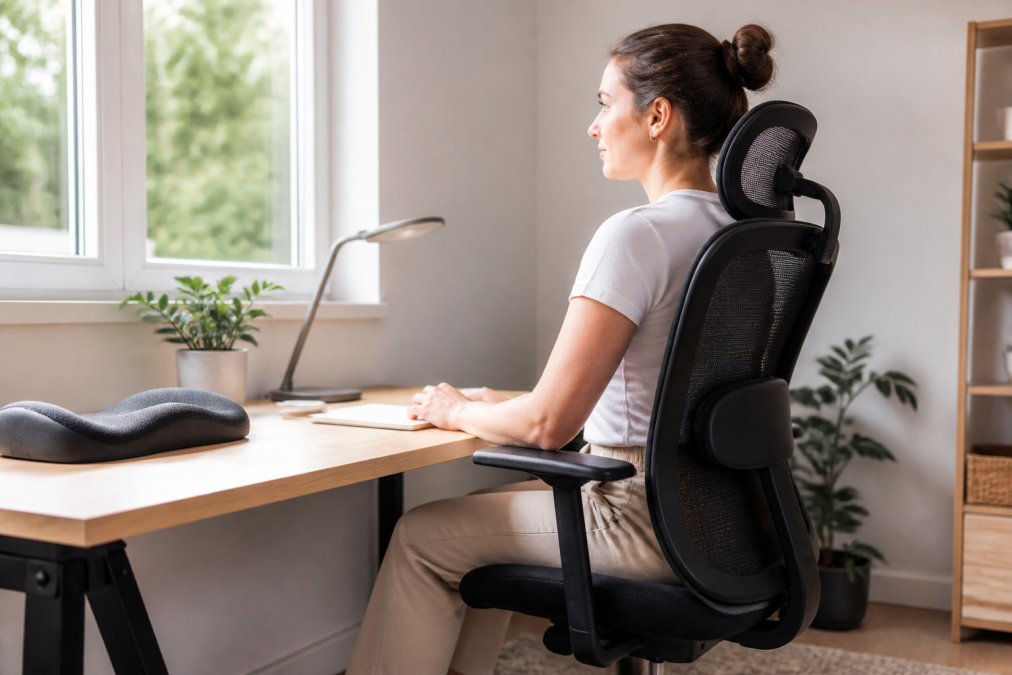
Your chair is the foundation of everything else. An affordable ergonomic solutions home office strategy fails if your chair doesn't support basic posture. The challenge is finding a chair that costs under £200 whilst still offering genuine lumbar support and adjustability.
When evaluating chairs in this price range, focus on three things: lumbar support, seat height adjustment, and backrest recline. Many budget chairs skip one of these, which undermines the entire setup. A chair with excellent lumbar support but no height adjustment won't work if you're significantly taller or shorter than average.
DSE Assessment Checklist for Home Workers
The Display Screen Equipment Regulations require employers to assess workstations for health and safety risks (Working safely with display screen equipment). This isn't just legal compliance, it's the foundation of any ergonomic solutions home office strategy.
A proper DSE assessment checklist for home workers covers these key areas:
- Monitor position: Top of screen at or slightly below eye level, arm's length away
- Keyboard and mouse: Elbows at 90 degrees, wrists neutral (not bent up or down)
- Chair: Feet flat on floor, knees at 90 degrees, lower back supported
- Desk height: Elbows at 90 degrees when seated with arms at rest
- Lighting: No glare on screen, natural light from the side (not directly behind or in front)
- Breaks: Movement every 30 minutes, eye rest every 20 minutes
The checklist approach works because it forces you to evaluate each component separately. You might have perfect monitor positioning but poor chair support, or vice versa. A systematic assessment reveals exactly where your setup is failing.
Many home workers skip this step and jump straight to buying products. That's backwards. Assess first, then buy. You might discover that adjusting your monitor height costs nothing and solves 50% of your problems.
Which Solution Should You Choose?
Start with a clear diagnosis. Where does your discomfort actually happen? Is it your neck, lower back, wrists, or eyes? Most home workers experience pain in multiple areas, but there's usually one primary complaint.
If neck pain is your main issue, the NeckRelief Pro™ at £39.99 is the logical starting point. If lower back pain dominates, SpineFlow™ at £34.99 should be first.
Frequently Asked Questions
What are the essential ergonomic requirements for a home office?
A proper home office setup includes a supportive chair that maintains your lower back curve, a monitor at eye level, and your keyboard and mouse positioned so your elbows bend at 90 degrees. Neck and back support products like NeckRelief Pro (£39.99) and SpineFlow (£34.99) address common pain points from extended screen time. Adequate lighting and a footrest also reduce strain. These elements work together to prevent long-term discomfort and improve productivity throughout your working day.
How can I improve my desk ergonomics on a budget?
Start with affordable ergonomic desk accessories and wellness gadgets rather than replacing your entire setup. The Lumo Relief Heated Migraine Mask (£18.00) addresses eye strain from screen glare, whilst SpineFlow (£34.99) provides back support without buying a new chair. NeckRelief Pro (£39.99) targets neck tension from poor monitor positioning. These targeted solutions cost between £18-£55 and solve specific pain points. Combine them with free adjustments: raise your monitor to eye level using books, position your chair so feet rest flat, and take regular breaks.
Do the Health and Safety (Display Screen Equipment) Regulations 1992 apply to home workers?
The Display Screen Equipment Regulations apply to home workers who regularly use screens as part of their job. Your employer must ensure your workstation meets ergonomic standards, including proper seating, desk height, and lighting. Using ergonomic solutions like NeckRelief Pro and SpineFlow helps you comply with these standards and protects your long-term health. Check with your employer about whether a DSE assessment is required for your home office setup.
What is the most important piece of ergonomic office furniture?
Your chair is the foundation of home office ergonomics because you spend most of your working day in it. A chair that supports your lower back and allows proper hip and knee positioning prevents cumulative strain. However, no chair alone solves all ergonomic challenges. Combining a supportive chair with targeted accessories like NeckRelief Pro (£39.99) for neck support and SpineFlow (£34.99) for back reinforcement creates a comprehensive solution.
How do I know which ergonomic solution will actually help my specific problem?
Start by identifying where you feel discomfort during or after work. Neck pain and tension headaches respond well to NeckRelief Pro (£39.99), whilst lower back pain from prolonged sitting improves with SpineFlow (£34.99). Eye strain and migraine tension benefit from the Lumo Relief Heated Migraine Mask (£18.00). HandRelief Pro (£54.99) targets hand mobility issues. Each product addresses a specific problem rather than offering a generic solution. All Inspree products include verified customer reviews so you can see real results from people with similar concerns.