

Best Desk Accessories for Remote Workers 2026
Table of Contents
- What Makes a Desk Accessory Worth Buying for Remote Work?
- Best Desk Accessories for Remote Workers: Our Top Picks
- Building an Ergonomic Home Office Setup Around Your Desk
- Home Office Lighting Tips to Reduce Eye Strain
- Best Desk Cable Management Solutions to Tidy Your Workspace
- How to Choose the Right Desk Accessories for Remote Workers on Any Budget
- Conclusion
Last Updated: 20 August 2026
Remote work has transformed how millions work, but most home offices lack the essentials. At Inspree, we've curated desk accessories that tackle real problems: back pain, neck tension, cold feet, and eye strain. Below are our top picks for 2026, plus practical advice for building a comfortable, focused workspace.
Quick Picks:
- Best for neck pain: NeckRelief Pro Cervical Massage Pillow, £34.99
- Best for back pain: SpineFlow Back Support Cushion, £34.99
- Best budget pick: WoolWarmth Premium Cosy Socks (5-Pack), £3.99
- Best for eye strain and headaches: Lumo Relief Heated Migraine Mask, £18.00
- Best for hand and joint discomfort: BoneSoothe Hand Mobility Device, £54.99
- Best for cold feet: SootheStep Heated Foot Cushion, £23.99
What Makes a Desk Accessory Worth Buying for Remote Work?
A desk accessory is worth buying when it solves a specific physical problem that affects comfort or focus. The best investments address musculoskeletal strain, poor lighting, eye fatigue, and workspace clutter, not decorative appeal.

Products worth prioritising fall into clear categories: ergonomic supports that correct posture and relieve pain, thermal comfort items, lighting solutions that reduce eye strain, and cable management tools. According to NHS guidance on back pain at work, prolonged sitting without proper support is a common contributor to lower back and neck pain in office workers. Addressing these proactively is far simpler than managing the consequences.
Before you buy, ask:
- Does it solve a problem I actually have?
- Will I use it daily, or will it end up in a drawer?
- Does the quality justify the price?
The products in this guide pass all three tests.
Best Desk Accessories for Remote Workers: Our Top Picks
The following six products represent the strongest range of desk accessories available from Inspree. Each targets a different physical challenge.
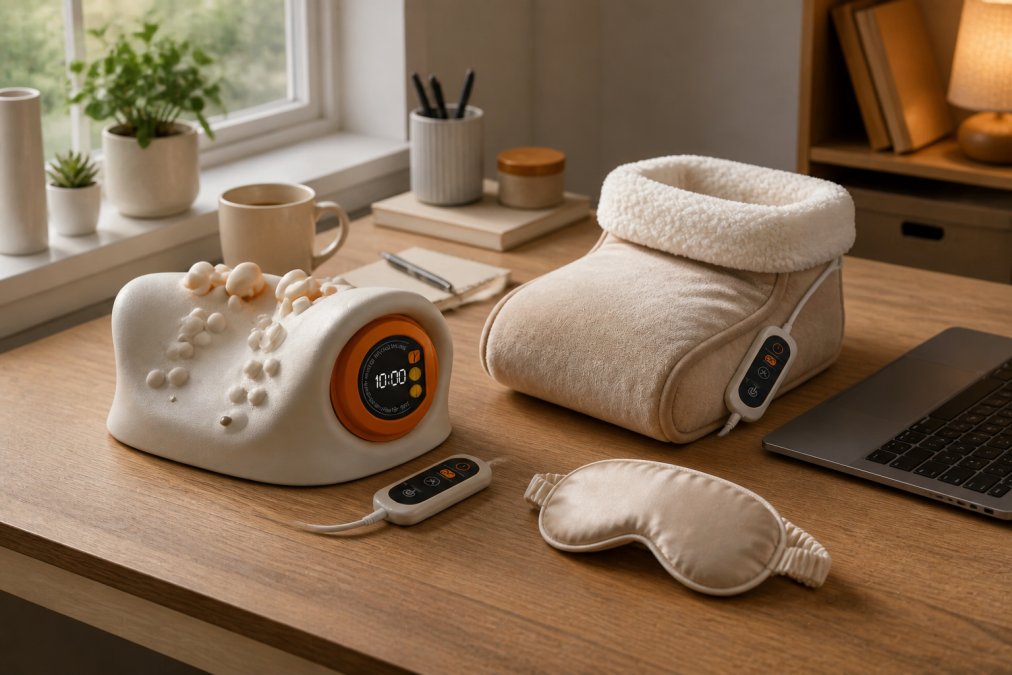
NeckRelief Pro Cervical Massage Pillow - £34.99
Neck tension is the defining complaint of remote work. Hours spent looking at a screen, often with a monitor that is too low, tighten muscles along the base of the skull and shoulders. The NeckRelief Pro contours to the cervical spine, providing targeted relief where tension accumulates most. It's compact enough to use at your desk between calls or during lunch.
Best for: Remote workers with neck pain, stiffness, or forward head posture from prolonged screen use.
Pros:
- Targets the cervical spine directly
- Compact and desk-friendly
- Accessible price point
Cons:
- Works best as part of a broader ergonomic setup rather than standalone
Price: £34.99
SpineFlow Back Support Cushion - £34.99
Most office chairs offer inadequate lumbar support. The SpineFlow Back Support Cushion sits between your lower back and chair, encouraging natural spinal curve rather than the slumped position most people default to after the first hour. Proper lumbar support reduces load on spinal discs and surrounding muscles, meaning less fatigue and pain by late afternoon. According to Health and Safety Executive guidance on display screen equipment, workstation setup, including chair support, is key to preventing musculoskeletal disorders for home workers.
Best for: Anyone using a chair without built-in lumbar support, or those who notice lower back fatigue by mid-afternoon.
Pros:
- Immediate improvement in sitting posture
- Works with almost any chair
- Pairs well with the NeckRelief Pro for full spinal support
Cons:
- May need repositioning throughout the day
Price: £34.99
Lumo Relief Heated Migraine Mask - £18.00
Eye strain is underestimated in remote work. Staring at a screen for hours causes eye muscles to tighten, contributes to tension headaches, and can trigger migraines. The Lumo Relief Heated Migraine Mask applies gentle heat to relieve muscular tension, reduce puffiness, and provide a reset during long working days. Fifteen minutes of use is effective, and at £18.00, it's one of the most affordable and immediately effective options.
Best for: Remote workers who suffer from screen-related eye strain, tension headaches, or migraines.
Pros:
- Works in just 15 minutes
- Lightweight and desk-friendly
- Exceptional value
Cons:
- Requires stillness, not usable mid-call
Price: £18.00
BoneSoothe Hand Mobility Device - £54.99
Typing for hours daily places repetitive stress on hands, wrists, and finger joints. For remote workers experiencing stiffness, arthritis symptoms, or reduced hand mobility, this accumulates quickly. The BoneSoothe Hand Mobility Device alleviates these symptoms and helps restore comfortable hand function. At £54.99, it's the highest-priced item here, but it addresses a specific problem cheaper alternatives don't.
Best for: Remote workers with arthritis symptoms, repetitive strain, or reduced hand mobility from extended typing.
Pros:
- Targets a problem most desk accessories ignore
- Designed for daily use alongside normal work
- Addresses both symptom relief and longer-term mobility
Cons:
- Higher price point
- Best results come with consistent daily use
Price: £54.99
SootheStep Heated Foot Cushion - £23.99
Cold feet are a genuine productivity issue, particularly during autumn and winter in home offices where heating may not run all day. The SootheStep Heated Foot Cushion sits under your desk and keeps feet warm throughout the working day without heating the whole house. Thermal comfort affects concentration and mood; cold extremities are a persistent low-level distraction easily eliminated.

Best for: Remote workers in cooler homes, anyone who suffers from cold feet during the working day.
Pros:
- Reduces need to heat entire home
- Immediate warmth with no setup
- Compact and unobtrusive
Cons:
- Seasonal use, less relevant in summer
Price: £23.99
WoolWarmth Premium Cosy Socks (5-Pack) - £3.99
The most affordable item in this list and one of the most used. The WoolWarmth Premium Cosy Socks are a five-pack of premium-quality socks designed for comfort during long home office days. They pair naturally with the SootheStep cushion but earn their place independently. At £3.99 for five pairs, this is also the easiest gift recommendation.
Best for: Anyone working from home who wants reliable everyday comfort without spending much.
Pros:
- Outstanding value at £3.99 for five pairs
- Practical, everyday use
- Excellent low-cost gift
Cons:
- A comfort item rather than an ergonomic solution
Price: £3.99
| Product | Price | Primary Benefit | Best For |
|---|---|---|---|
| NeckRelief Pro Cervical Massage Pillow | £34.99 | Neck tension relief | Screen-related neck pain |
| SpineFlow Back Support Cushion | £34.99 | Lumbar support | Lower back fatigue |
| Lumo Relief Heated Migraine Mask | £18.00 | Eye strain and headache relief | Tension headaches, migraines |
| BoneSoothe Hand Mobility Device | £54.99 | Hand and joint mobility | Arthritis, repetitive strain |
| SootheStep Heated Foot Cushion | £23.99 | Thermal foot comfort | Cold feet during work |
| WoolWarmth Premium Cosy Socks (5-Pack) | £3.99 | Everyday warmth | General home office comfort |
Building an Ergonomic Home Office Setup Around Your Desk
An ergonomic home office setup is a workspace configured to support natural posture and reduce physical strain from extended desk work. The goal is removing small daily irritations that accumulate into chronic discomfort.
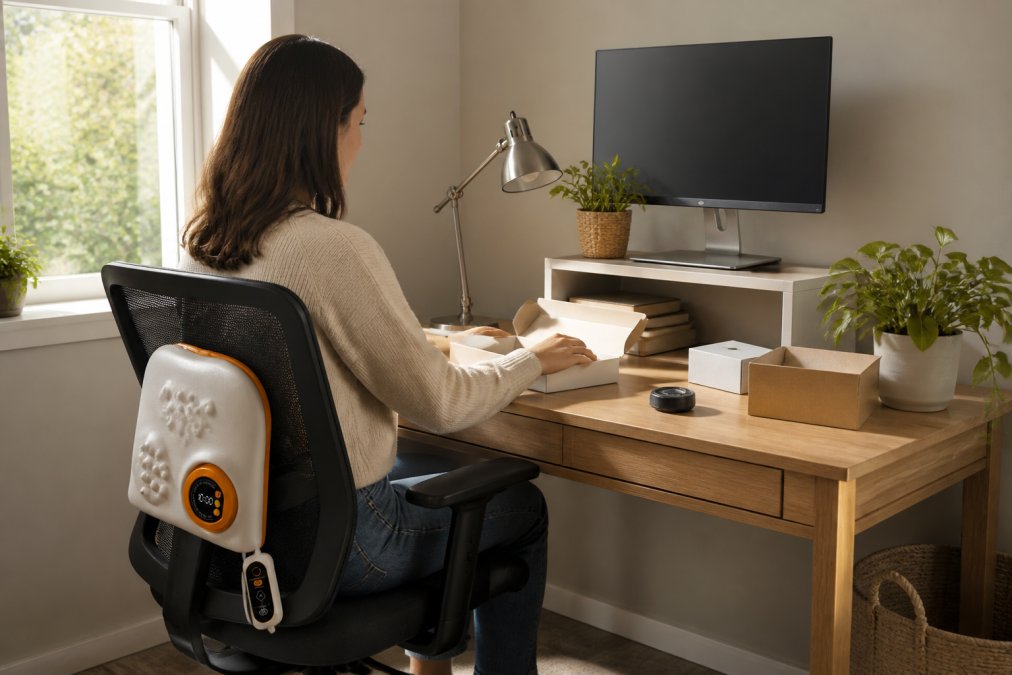
Start with chair and monitor position before adding accessories. The monitor should be at roughly arm's length, with the top of the screen at or just below eye level. Your feet should rest flat on the floor, and your elbows should be close to 90 degrees when typing. If your chair lacks lumbar support, the SpineFlow cushion addresses that immediately.
Layer in accessories targeting your specific pain points:
- Neck and upper back: Add the NeckRelief Pro for use during breaks
- Hands and wrists: Consider the BoneSoothe device for end-of-day recovery
- Feet and lower body: The SootheStep cushion handles temperature
- Eyes: Adjust monitor brightness and use the Lumo Relief mask during lunch
According to Chartered Institute of Ergonomics and Human Factors guidance, a layered approach addressing posture, temperature, lighting, and equipment in combination produces better outcomes than any single adjustment.
The common mistake is buying accessories before fixing fundamentals. A massage pillow won't undo a monitor that's 20 centimetres too low. Get the basics right first, then use accessories to address what remains.
Home Office Lighting Tips to Reduce Eye Strain
Poor lighting is one of the most overlooked causes of eye strain and headaches in home offices. The fix is simpler than most expect.
Natural light is best. Position your desk so the primary light source is to the side of your monitor rather than directly behind or in front of it. Light from behind creates glare; light from in front creates harsh contrast between the bright window and darker screen.
For artificial lighting, aim for consistent, diffused light rather than a single overhead bulb. A desk lamp with warm or neutral colour temperature reduces harsh contrast between screen and surroundings. Position it to the side, not directly at the screen.
Practical adjustments:
- Match monitor brightness to ambient light. A very bright screen in a dim room accelerates eye fatigue.
- Enable a blue light filter on your device in the afternoon and evening.
- Take regular breaks. The 20-20-20 rule, look at something 6 metres away for 20 seconds every 20 minutes, reduces eye muscle fatigue.
- Use the Lumo Relief Heated Migraine Mask during lunch to relieve accumulated tension.
Lighting is about consistency, not just brightness. Frequent shifts between bright and dark areas are more tiring than a uniformly lit space, even if dimmer overall.
Best Desk Cable Management Solutions to Tidy Your Workspace
Cable clutter is a genuine focus problem. Visual disorder creates low-level cognitive friction that's hard to name but easy to feel. Tidying cables is one of the fastest, cheapest improvements you can make.
The best solutions combine routing, fastening, and concealment:
Cable clips and adhesive mounts attach to the underside or back edge of a desk and keep cables running in a defined path rather than trailing across the surface.
Cable sleeves bundle multiple cables into a single tube, particularly useful for the cluster behind a monitor.
Cable trays mount under the desk and hold a extension lead along with excess cable length, keeping everything off the floor and out of sight.
Velcro cable ties are more reusable and less damaging than zip ties.
Route cables after deciding on final desk layout. Spend a week in your setup first, then cable-manage once.
How to Choose the Right Desk Accessories for Remote Workers on Any Budget
Choosing the right desk accessories comes down to matching the product to the problem rather than buying the most expensive option. Audit your working day before spending anything.
Ask which physical discomforts you notice most often. Neck stiffness after video calls? Cold feet by mid-afternoon? Headaches by 3 pm? Each points to a specific product category. Address the most pressing issue first for the best return on investment.
A practical framework for any budget:
| Budget Level | Priority | Recommended Starting Point |
|---|---|---|
| Under £10 | Warmth and comfort | WoolWarmth Cosy Socks (£3.99) |
| £10-£25 | Eye strain and headaches | Lumo Relief Heated Migraine Mask (£18.00) |
| £25-£40 | Posture and back support | SpineFlow Back Support Cushion (£34.99) |
| £40-£60 | Full ergonomic support | BoneSoothe Hand Mobility Device (£54.99) |
| Building a full setup | All-round comfort | Combine SpineFlow + NeckRelief Pro + SootheStep |
The cheap wins are often most impactful. Warm feet and clear cables cost almost nothing and improve your working day immediately. Save larger investments for problems that persist after basics are sorted.
Inspree offers tracked and insured delivery on every order, with SSL-encrypted checkout. Every product has been selected through genuine curation. According to Which? guidance on safe online shopping, checking for insured delivery and secure checkout are among the most important factors when buying from an online retailer.
If unsure whether a product solves your problem, start with lower-cost options in its category. The Lumo Relief mask at £18.00 is a low-risk way to find out whether heat therapy helps your eye strain before committing to a more expensive wellness device.
Frequently Asked Questions
What are the essential items for a productive home office?
The most impactful items address comfort and focus: a lumbar or back support cushion, a cervical massage pillow for neck tension, good desk lighting, and cable management tools to reduce visual clutter. Beyond the basics, small additions like a heated foot cushion or a heated eye mask for midday breaks can make long working days noticeably more comfortable. Start with whatever causes you the most discomfort during the day and solve that first.
How can I make my home office more ergonomic without spending a fortune?
An ergonomic home office setup does not require a complete overhaul. Raising your monitor to eye level, positioning your keyboard so your elbows sit at roughly 90 degrees, and adding a lumbar support cushion to your existing chair are three changes that cost very little but reduce strain significantly. A cervical massage pillow like the NeckRelief Pro™ (£34.99) addresses neck tension directly, while the SpineFlow™ cushion (£34.99) supports your lower back during long sitting sessions.
What desk accessories help with cable management?
Cable clips, adhesive cable channels, and under-desk cable trays are the most practical solutions. Clip-style organisers mount to the edge of your desk and hold charging cables in place so they do not fall behind the desk. Under-desk trays bundle extension leads and excess cable length out of sight entirely. For a minimal setup, hook-and-loop cable ties are inexpensive and reusable. The goal is to keep cables off your desk surface so your working area stays clear and distraction-free.
Are monitor arms worth buying for remote workers?
For most remote workers who spend more than four hours a day at a screen, a monitor arm is a worthwhile purchase. It frees up desk surface, lets you position the screen at the exact height and angle your posture needs, and makes it easy to share your screen with someone else without turning the whole desk around. If neck or shoulder tension is already an issue, combining a monitor arm with a cervical support tool like the NeckRelief Pro™ addresses the problem from both ends.
How do I organise a small home office desk without it feeling cluttered?
The single most effective rule for a small desk is to keep only what you use daily on the surface. Route cables underneath using adhesive clips or a cable tray, store stationery in a drawer or a small caddy off to one side, and use vertical space where possible with a monitor arm or a small shelf riser. Wellness accessories like a heated eye mask or massage pillow can live in a nearby drawer and come out only when needed, keeping the desk surface clear for focused work.
Choosing the right desk accessories for remote workers is not about filling a desk with gadgets, it is about identifying the specific discomforts that are costing you focus and wellbeing, then addressing them directly. Cold feet, neck tension, eye strain, and back pain are solvable problems. Get started with Inspree and build a workspace that genuinely supports you, with tracked delivery, insured shipping, and products curated to make a real difference to your working day.
This article was written using GrandRanker